




otui
Open TIMES User Interface
TIMES in the browser
otui is a browser-based, open-source interface for TIMES energy system models. It works on native TIMES syntax: the sets and parameters of a model, as in its DD files.
It is for TIMES modellers and students, including those who do not work in code. Version 0.1.0 is a preview: drop a model on the page, then browse it, check it, solve it and export it. Editing models through Excel, LibreOffice and CSV files comes next.
otui runs on your own computer. The page in your browser talks only to the otui server in your terminal, and your models never leave your computer.
What you can do
Drop a model's .run file and its .dd files on the page, or a folder or a .zip of them. Or start with the demo model, demo12 from TIMES_Demo, or one of ESMA's open TIMES models.
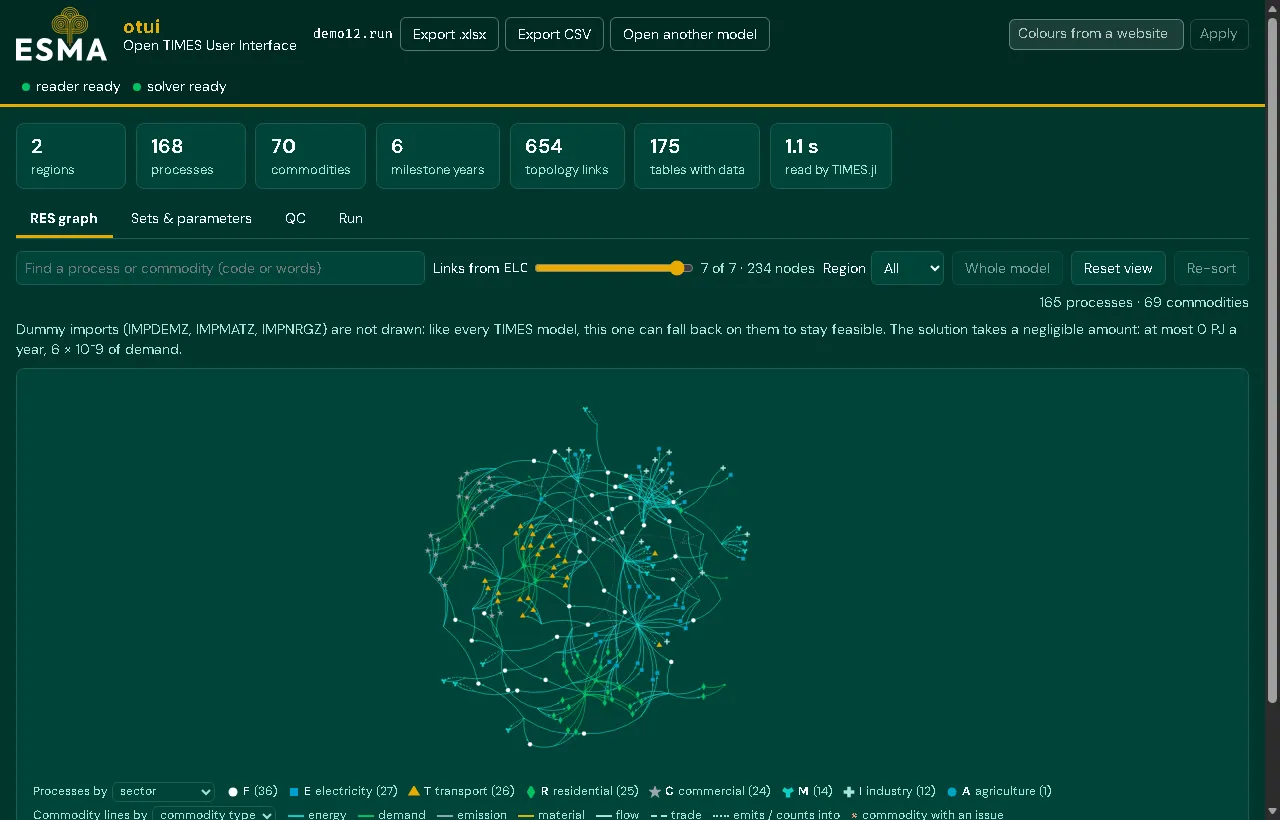
RES graph
Browse the model's reference energy system as a network. Search for a process or commodity, and see the dead ends otui found.
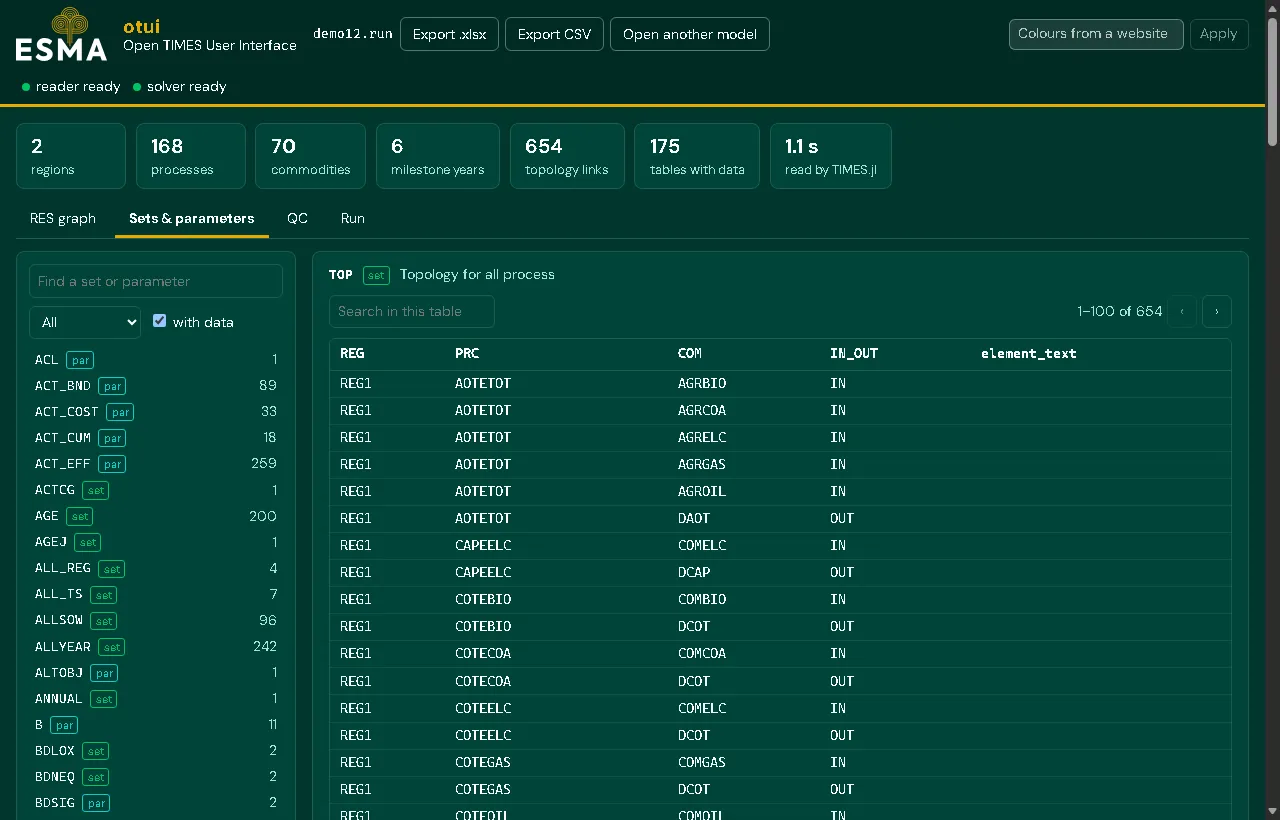
Sets & parameters
Read every set and parameter of the model as a table, and export them all as .xlsx or CSV.
QC
See TIMES's own checks and otui's together.
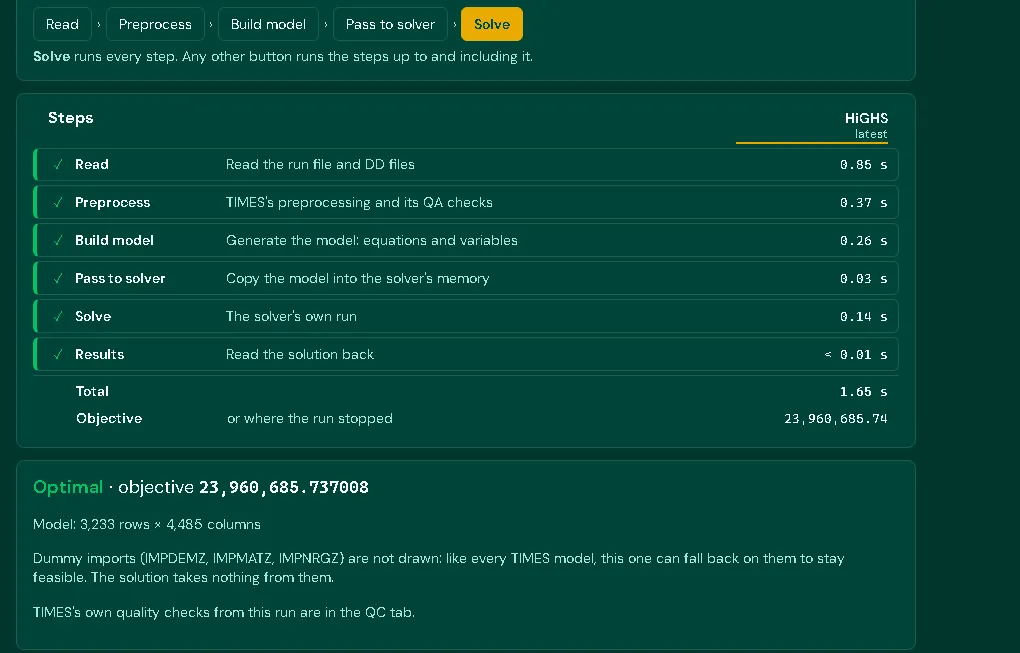
Run and results
Solve the model with TIMES.jl, TIMES in Julia, and the open-source HiGHS solver (experimental), or with GAMS TIMES if you have it. See capacity and flows as tables and charts, compare runs, and export them.
Get started
You need two free tools, then otui. Everything goes into your own user folders: no administrator rights, nothing runs at start-up, and nothing is installed through the browser.
1. Julia and uv
System Julia (through juliaup) uv (Python tools) Windows winget install --id Julialang.Juliaup -ewinget install --id astral-sh.uv -emacOS brew install juliaupbrew install uvLinux curl -fsSL https://install.julialang.org | shcurl -LsSf https://astral.sh/uv/install.sh | sh- Windows
- Julia:
winget install --id Julialang.Juliaup -e - uv:
winget install --id astral-sh.uv -e - macOS
- Julia:
brew install juliaup - uv:
brew install uv - Linux
- Julia:
curl -fsSL https://install.julialang.org | sh - uv:
curl -LsSf https://astral.sh/uv/install.sh | sh
Open a new terminal after installing them, so it finds them.
2. otui
In a terminal:
uv tool install otui
otui julia-setup
otui serve
otui julia-setupis needed once: it downloads TIMES.jl and its Julia packages, which takes 10-20 minutes.otui servestarts otui; then openhttp://127.0.0.1:8642in your browser.3. A model
Drop a model's
.runfile and its.ddfiles on the page, or a folder or a.zipof them, or click Try the demo model for demo12 from TIMES_Demo.Stop otui with Ctrl+C in its terminal.
What runs on your computer
otui needs a few free tools. Here is what each one is, where it goes and what it does. Everything goes into your own user folders, and nothing runs at start-up.
Julia and juliaup
Julia is the language TIMES.jl is written in; juliaup installs it. Both go in your user folder (
~/.julia/juliaup), from julialang.org.uv and otui
uv installs Python tools, otui among them. Both go in your user folder (
~/.local/bin, uv's tool folder), from astral.sh and the Python Package Index.TIMES.jl and its Julia packages
otui reads, compiles and solves models only through TIMES.jl, TIMES in Julia, with Julia packages such as JuMP and HiGHS.
otui julia-setupdownloads them once (10-20 minutes) into~/.julia, with otui's two environments in~/.otui/juliaand~/.otui/julia-latest, from github.com/esma-ie/timesjl and the Julia package servers.HiGHS
The open-source solver that solves your model, through TIMES.jl. It is one of the Julia packages above.
The otui server
otui servestarts a web server on your computer, athttp://127.0.0.1:8642. It listens on127.0.0.1, so other computers cannot reach it. The page in your browser only talks to this server; the browser installs nothing.Your models
The models you drop are kept in
~/.otui/workspace. Your models never leave your computer.Network use
otui julia-setupdownloads the packages above. Eachotui serveasks GitHub whether TIMES.jl has a newer version, and if so builds it in the background for the next start.otui serve --timesjl pinnedturns that off.To remove otui
Run
uv tool uninstall otui, then delete the.otuifolder in your home folder. If you don't use Julia otherwise, also runjuliaup self uninstall.
Without installing: GitHub Codespaces
GitHub Codespaces runs otui for you on a cloud computer, in your browser, with nothing to install. You need a free GitHub account. The models you add are uploaded to your codespace: only you can connect to it, and ESMA cannot see it.
It uses your GitHub account's monthly Codespaces allowance: on GitHub Free, about 30 hours a month of otui's 4-core codespace. Use beyond the allowance is billed to you only if you have set up billing for Codespaces.
Code and licence
otui is open source, under the GNU Affero General Public License v3.0 or later (AGPL-3.0-or-later).